Refresh Your Gaming Gear: How to Keep Your Headset in Top Condition for Years

Lesezeit 4 min

REFRESH YOUR GAMING GEAR: HOW TO KEEP YOUR HEADSET IN TOP CONDITION FOR YEARS

A good gaming headset stays with you through countless matches, scrims and long sessions. To make sure it still feels comfortable and sounds clear after hundreds of hours, you don’t have to replace it – you can upgrade it. With new ear pads, a fresh headband or the right replacement cable, your gear stays powerful in sound, comfortable and hygienic. 

Many of our gaming headsets and headphones feature a modular design. You can replace the key wear parts yourself. This extends the lifespan of your headset and saves resources – ideal if you want to optimise your setup for the long term. 

“Refresh Your Gaming Gear” shows you how to get your headset back into top form in just a few simple steps – whether for casual rounds, ranked pushes or long LAN nights. 


TABLE OF CONTENTS

Typical wear parts on Gaming Headsets

A gaming headset goes through a lot in everyday use: long sessions, intense movement, emotional clutch moments, being carried around in a backpack. Some parts wear out faster as a result: 

Ear pads 
Lose their shape, get warm, provide less damping. This directly affects comfort and sound precision. 

Headband 
Becomes soft or cracked – the headset no longer sits securely and causes pressure points more quickly. 

Cable 
Kinks or contact issues can easily occur due to fast movements at your setup. 

The good news: on many models, you can quickly replace these parts yourself – no workshop required. 

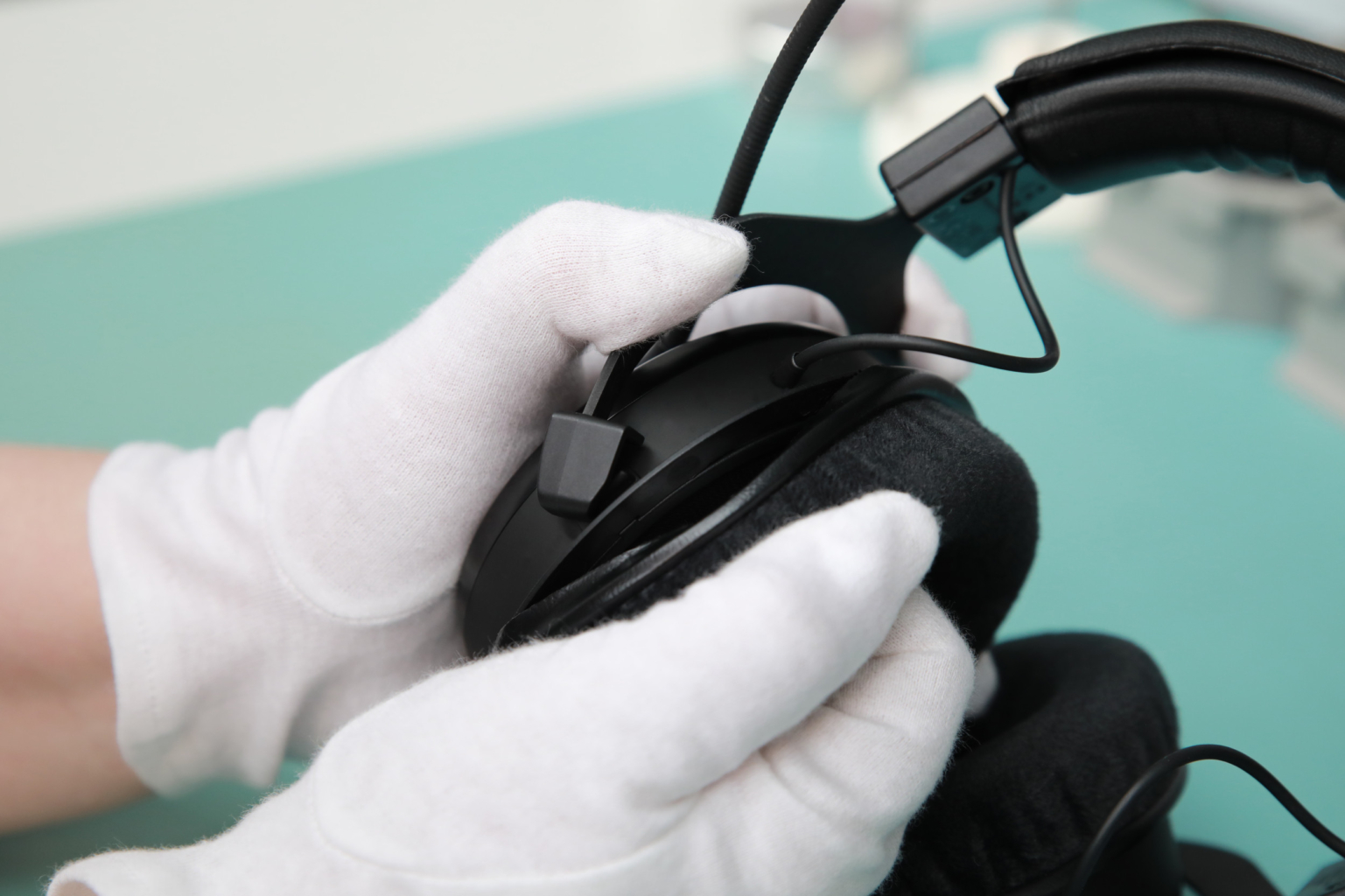
Replacing ear pads – for clear sound and fresh comfort 

Ear pads play a major role in how your headset sounds – and how long you can wear it without a break. Worn ear pads change the damping and therefore the frequency response. Bass, footsteps and speech intelligibility in particular lose precision. 

ohrpolster wechseln | beyerdynamic
Replacing ear pads on MMX 330 PRO

It is time for new ear pads when: 

  • the pads are flattened or cracked, 
  • the headset no longer seals properly, 
  • you overheat faster than before, 
  • the sound feels muddy or imprecise. 

New ear pads bring back clear sound, improve isolation and feel pleasantly fresh again – perfect for long sessions. 

We show you exactly how to replace them in the tutorial using an MMX headset as an example. 
View Tutorial > 

Replacing the headband – a stable fit for long sessions

The headband ensures a secure fit without pressure points. If it becomes soft or brittle, the pressure is distributed less evenly. You’ll notice this especially during long sessions, training runs or when grinding towards a ranked promotion. 

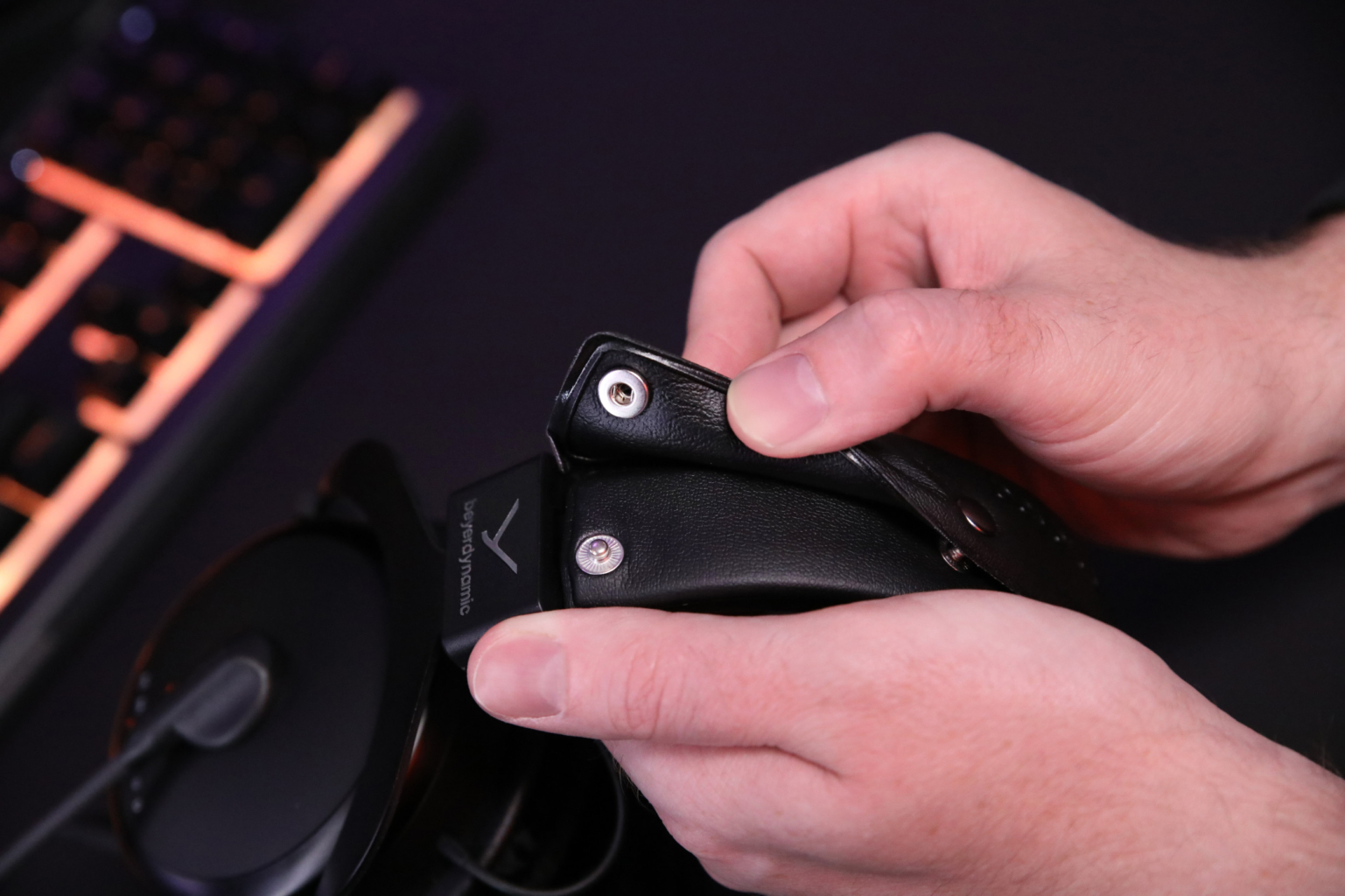
Buttonable headband - MMX 300 PRO

A new headband restores comfort, keeps the headset stable and ensures the ear pads sit correctly. If your model has a buttoned headband, you can replace it in just a few simple steps. 

Find a suitable headband > 

Replacing the cable – clean connection, no dropouts 

When gaming, dropouts are not an option. The cable is one of the most frequently worn parts – due to movement, tension or an awkward desk position. 

A replacement is worth it if you experience: 

  • intermittent connections, 
  • dropouts or interference noise, 
  • visible damage, 
  • the desire for a different length or a coiled cable. 

Detachable cables are quick to swap and restore a reliable connection – essential for precise team communication. 

In our spare parts catalogue, you can filter by your model and select the right cables. 
Find a new cable now > 

Additional Care

Sticky areas on plastic surfaces are no cause for concern. These residues can occur through frequent skin contact. In most cases, mild soapy water is sufficient to clean the affected areas gently and safely. 

Care routine for lang-lasting Gaming Gear

This short routine keeps your headset in top condition for longer – perfect between two sessions: 

Clean ear pads: 
With a soft, slightly damp cloth. 

Care tip: Do not clean ear pads directly on the headphone with a vacuum cleaner. The resulting underpressure can damage the sensitive drivers. It’s best to remove the pads before cleaning. 

Check headband: 
Look for cracks or material fatigue. 

Check mechanics: 
Test joints, sliders and headband. 

Inspect cable: 
Check plugs, strain relief and transitions. 

Store safely: 
After gaming, place it on a holder (e.g. one of our headphone stands) or store it in a bag or case. 

These steps take hardly a minute, but pay off in the long run. 

Original Spare Parts – Why They’re Worth It 

Original spare parts are precisely matched to your model. You preserve the sound developed specifically for gaming – accurate footsteps, clear voices, stable localisation. At the same time, every part fits perfectly into the overall system. Poorly fitting replacement parts can apply incorrect pressure and, over time, put strain on other components such as sliders or mechanics. 

In our spare parts catalogue, you can filter specifically by your headphone model and immediately see which parts are compatible. This makes it easy to find exactly the accessories your headphones need.  Find your spare parts now >

Conclusion– your gear, just better

With small upgrades, your gaming headset stays ready for use for years. You get clear sound, high comfort and a reliable setup for every match. At the same time, you conserve resources and make your gear sustainably long-lasting. 

“Refresh Your Gear” means: small steps, big difference. 

Frequently asked questions at a glance

For hygienic reasons, we recommend replacing ear pads regularly.

Find ear pads > 

Yes. Many ear pads, headband pads and cables can be replaced without tools. 

View spare parts >

Yes. New ear pads restore the correct damping and therefore the original gaming sound.

Find ear pads >

Yes. We support many of our gaming headsets for many years. You can filter by your model and immediately see all available spare parts.

Find your spare parts now >

Wie bewertest du diesen Artikel?

Rating: 0 / 5. Anzahl Bewertungen: 0

Did you find this article helpful?